
Daily Invoice Maker Review: Features, Pricing & Pros and Cons
To run a small business, you have to keep records of invoices, estimates, expenses, and customer payments. For independent contractors and service workers, managing these tasks efficiently can significantly affect day-to-day operations.
In the Daily Invoice Maker review below, we will look at the features it offers, its pricing options, advantages, limitations, and the kinds of businesses it might suit. We'll also tell you what to consider before you buy it so that you can decide if it suits your workflow.
In short, Daily Invoice Maker is desktop invoicing and bookkeeping software for small businesses, contractors, freelancers, and service professionals. The key advantages of the programme are its ability to work offline, create invoices and estimates, track expenses, and offer a one-off desktop licence. Whether iWhether it's right for you depends on your accounting needs, the device you prefer to use, and whether you need cloud collaboration, payroll, or other advanced business tools.

What is Daily Invoice Maker?
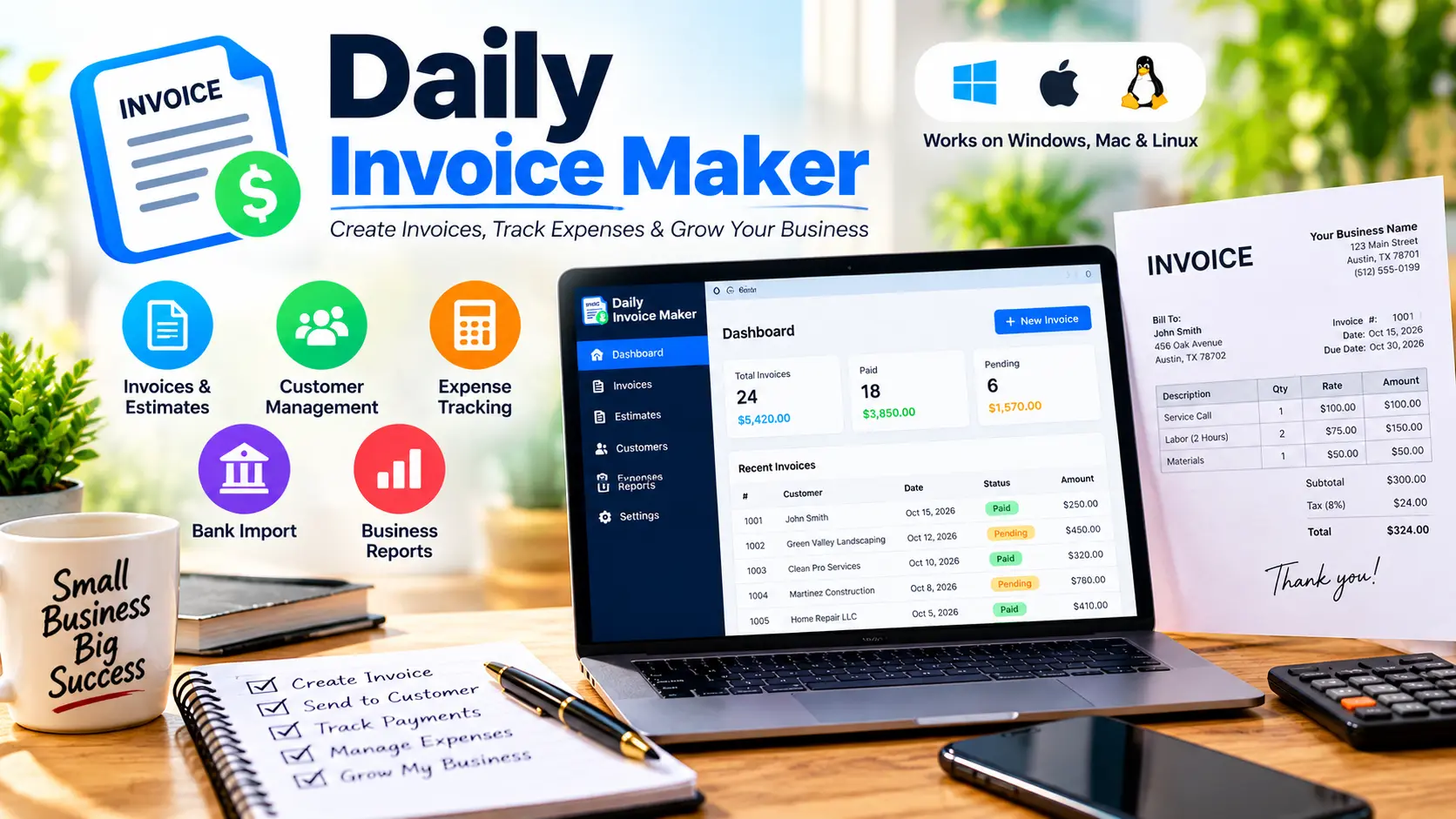
Daily Invoice Maker is a desktop program designed to help business owners with common invoicing and record-keeping tasks, and its official website says it's compatible with Windows, macOS, and Linux desktop systems.
It is especially directed at companies that offer services rather than selling large stocks of physical products. For example, such businesses can be cleaners, landscapers, handypersons, contractors, and independent service providers.
Rather than relying entirely on a web-based accounting platform, users can store their business records on their own computers and work offline once the software is activated.
Key Features of Daily Invoice Maker
1. Invoice and Estimate Creation
The software is designed to produce invoices and estimates for jobs carried out for customers. Businesses can use these documents to explain charges, list items, and keep a record of work billed to customers.
It can also help contractors who prepare estimates before starting a project and then send invoices once the work is complete.
2. Offline Desktop Functionality
A promoted feature is its offline capability. After purchase and activation, the desktop application can be used without a continuous internet connection.
This could be useful for service technicians working in basements, rural areas, on construction sites, or elsewhere with unreliable connectivity.
You may still need internet access for certain tasks, such as sending documents by email or using the optional connected features.
3. Expense and Receipt Tracking
Daily Invoice Maker offers tools to record expenses and manage receipts. Keeping these records in order makes it easier to review business spending and prepare the information needed for tax season.
Reports produced by software cannot replace professional tax advice, and business owners should review their records and seek advice from a qualified tax professional when needed.
4. Bank Statement Import and Business Reports
According to its official product website, the software offers features such as importing bank statements and providing business reports. These tools could help users keep their financial records in order and review their income and expenses.
Before you buy, check which bank statement formats it supports and make sure the software can handle your specific bookkeeping workflow.
5. Desktop Compatibility
The desktop version is promoted as available for Windows, Mac, and Linux; the Android app must be bought separately, so the desktop licence does not include the full mobile version.
It's advisable to check the system requirements currently listed on the official website before downloading.
Daily Invoice Maker Pricing
The official pricing page currently lists these desktop options:
- A free demo is available, which allows limited use so you can try the software before deciding to buy it.
- The monthly rate is $5.99.
- Lifetime license: $149.99 as a one-time payment.
Please note that prices and offers are subject to change, so check the amount shown on the official pricing and checkout pages before you buy.
The free demo is very useful since it lets potential customers evaluate the interface and workflow before deciding on a paid plan. You should check the current limitations, such as those related to invoices and customers, as well as any watermark restrictions on exported documents.
A lifetime license might seem attractive to someone who wants to avoid repeated payments for desktop software. Still, the better value depends on how long you intend to use the software and whether its features meet your needs.
Pros and Cons
Pros
- It lets service businesses create invoices and estimates.
- Advertises offline desktop functionality.
- The software is compatible with desktop systems running Windows, Mac, and Linux.
- It features the advertised expense-tracking and reporting tools.
- Show a demonstration before buying.
- Offer a one-time desktop license as an alternative to monthly billing.
Cons
- The Android app is not included automatically with the desktop license.
- For teams that need real-time cloud collaboration, offline software might be less convenient.
- Before using it, users should check that the bank-import function is compatible.
- Anyone who needs payroll, inventory management, or extensive accounting integrations should confirm whether these functions are included.
- The lifetime license requires a higher upfront payment than the monthly plan.
Who should think about using Daily Invoice Maker?
If you run a small service business and want to manage your invoices, estimates, and expenses from a desktop computer, Daily Invoice Maker may be worth considering.
This may be relevant to independent contractors, cleaning companies, landscapers, handypersons, and freelancers who want to keep their records locally and access them offline.
In contrast, companies with several employees that need shared access, payroll processing, complex inventory management, or many third-party integrations should consider it alongside more comprehensive options before deciding.
The key question isn't whether a tool offers the longest list of features; it's whether the tool supports the kind of work you actually carry out.
Should you consider Daily Invoice Maker?
Daily Invoice Maker includes features for invoicing, tracking expenses, generating reports, and working offline on the desktop. The demo allows potential customers to try out the software, and there are both monthly and lifetime payment options available.
This will depend on your business requirements. Review the available features, try the demo with a realistic workflow, and make sure the supported platforms and financial reporting options meet your needs.
This review is based on information published on the product's official website, and we are not asserting that we have carried out independent hands-on testing.

Frequently Asked Questions
Is the Daily Invoice Maker free?
The official website offers a free demo, but this comes with certain usage restrictions. To use it without limits, you must purchase a paid plan. Check the current demo limitations and pricing before making a purchase.
Can Daily Invoice Maker be used when not connected to the internet?
The desktop version supports offline operation once it has been purchased and activated. However, certain connected functions, such as sending emails about documents, may still require internet access.
What is the cost of Daily Invoice Maker?
The official pricing page currently lists a desktop plan for $5.99 per month and a desktop license for $149.99 for life. However, it is necessary to check the prices at the point of checkout since they may change.
Does the desktop license include Android?
On the contrary, the official website says that the Android app is available separately via Google Play.
Is the Daily Invoice Maker appropriate for contractors?
It is appropriate for contractors who need invoicing, estimates, expense records, and access to the programme on their desktop computer without needing an internet connection. Those contractors who require payroll, inventory management, or more advanced team collaboration should check that they really need these features before making the purchase.
Where else can I learn more about Daily Invoice Maker?
For the latest features, system requirements, a demo, and purchase options, visit the official product website.
Final Verdict
People who run small service businesses and want desktop invoicing tools that work offline should consider Daily Invoice Maker, and the programme's demo offers a practical way to see whether its workflow suits their needs.
Before you buy the software, check the current price, the operating system it supports, and any essential accounting features. It is better to choose software based on your real business needs than to rely solely on marketing claims.
We want to make an affiliate disclosure: the article includes affiliate links. In the event that you make a purchase using one of these links, we could receive a commission, although this would add no extra cost to you. Our aim is to offer useful information so that you can make a well-informed decision.